
When choosing between WordPress and Payload CMS, developers face a real tradeoff.
WordPress helps you move fast with a familiar ecosystem. Payload CMS gives you more control with a modern, code-first approach.
This comparison is based on real project work, plus what I keep hearing from other developers. The goal is simple: help you pick what fits your next build.
A personal view based on real project work and what others say
When I compare WordPress and Payload, I think about three things:
- How building feels
- How comfortable maintenance is after launch
- What happens if I need to extend or migrate things
For a typical site with a blog, resources such as PDFs or downloads, and maybe an events list, both WordPress and Payload can do the job. The key difference is whether I want to move fast with familiar tools or build something more flexible and custom from the ground up.
WordPress: what works well and what I’ve learned
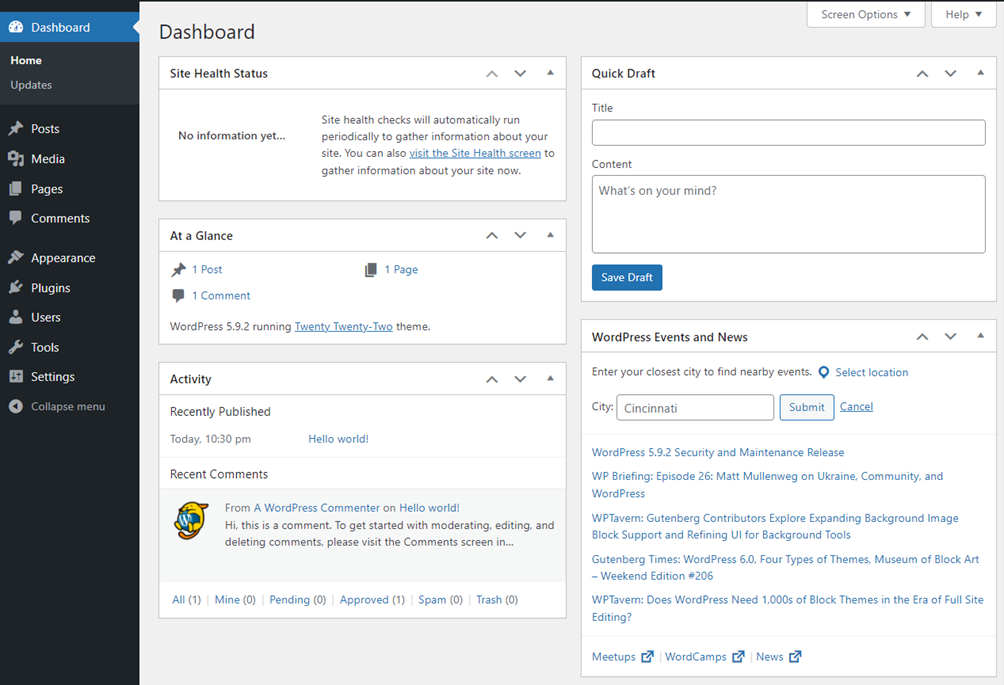
WordPress has been my go-to for most of my web projects. With WordPress I often start a project by installing it on hosting, as many hosts provide a one-click install. Logging into the dashboard shows the basic structure immediately. Posts, media library, pages everything is already there:
- Posts
- Pages
- Media library
- Users
For a blog or resource site, this means I can jump into content quickly.
A practical WordPress and Payload CMS comparison based on real project work, including how each platform handles speed, flexibility, migrations and long-term maintenance.
Resources and events in WordPress
Building the resources section inside WordPress feels natural. I define custom fields manually or use simple custom code if needed. Events, if needed, often come via a plugin that handles calendars or listings. Most common needs get covered fast:
- Blog
- Pages
- Resource library
- Simple event listings
When plugins do not fully fit
When the available plugins do not have what’s needed, I often use Code snippets, a plugin that allows injecting custom PHP or JavaScript code directly into WordPress. With that, I can create:
- Custom widgets
- Shortcodes
- Small features that unblock the project
This flexibility has saved me many times when a plugin did not fully meet the requirement or extra content was stuck behind a paywall.
Why migrations matter
In real projects, clients change hosting, staging environments, or rebuild infrastructure. Migrating a site becomes part of maintenance. I have moved WordPress sites many times from staging to production or between hosts, mainly in two ways
Option 1: Manual migration
This is the full-control route:
- Download files
- Export the database
- Upload to the new server
- Import the database
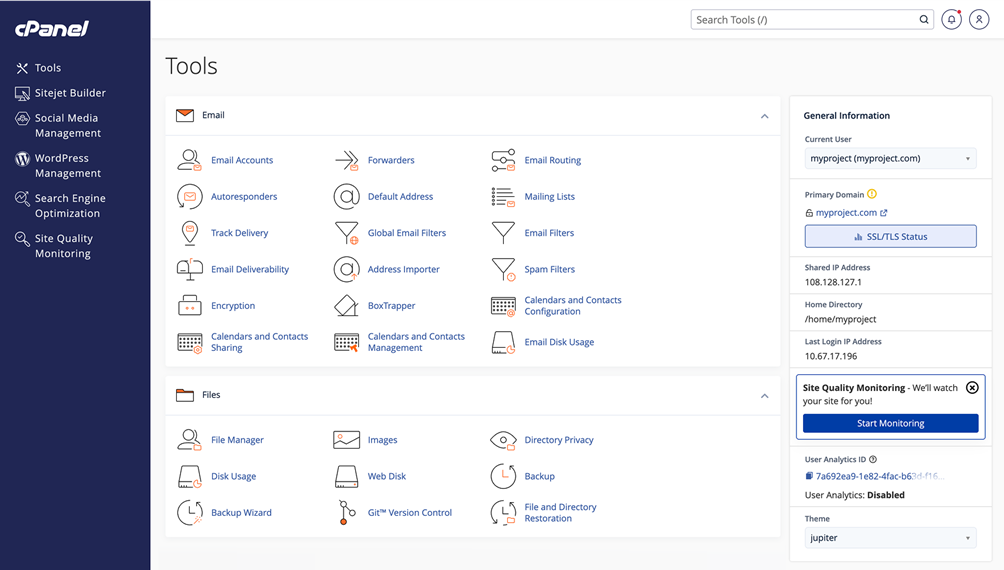
This is common when using cPanel or Plesk.
Option 2: Migration tools
Migration plugins or managed hosting tools can package and move the site automatically. For standard sites that mostly use core features, a handful of plugins and simple custom code, this has worked reliably for me.
What I always check after migration
After a migration, I test the site carefully:
- Permalinks
- Media paths
- Plugin behavior
- Pages
- Posts
Sometimes permalinks just need a refresh. Sometimes a plugin behaves differently on a new host. Testing makes the difference between a smooth migration and a frustrating one.
What WordPress handles well
WordPress is ideal when I need a working site fast. It is familiar, handles most standard website needs out of the box, and when prebuilt solutions do not cut it I can code custom behaviour. It works especially well for sites with a blog, resources, a few pages, and maybe events. My migration experience adds confidence because I know the common pitfalls and how to fix them reliably.
Where WordPress begins to struggle
When the project becomes complex or requires unusual data structures, WordPress can feel heavy.
- Too many plugins can create conflicts and maintenance overhead
- Performance tuning often becomes a separate task
- The admin can feel cluttered as custom code and plugins stack up
For security, scalability, and tight data control, WordPress can manage, but it usually requires careful plugin selection, constant updates, and hosting optimisation.
Using Payload CMS
Payload starts differently. Instead of a ready-to-go CMS with themes and plugins, it gives a clean backend. I define content models such as blog posts, resources, and events directly in code. Payload builds the admin panel automatically based on the code.
This means I start by defining the data schema, not by picking themes or browsing plugin directories. The backend remains clean, typed, structured, and clear.
Since Payload is headless, I also build the frontend. This is usually linked to a modern frontend stack such as React or Next.js. I control layout, logic, styling, and routing entirely myself.

What developers like about Payload
Payload scores highly for flexibility, developer friendliness, and speed of development. Developers like that Payload can handle simple blogs as well as complex applications. Its API-first approach makes it useful for projects where content needs to appear in multiple places.
Payload’s admin panel is clean and minimal, without the clutter of plugin-heavy systems.
Some drawbacks are the smaller community and fewer prebuilt features. Compared to WordPress, developers need to build more themselves.
Where Payload is ideal
Payload works best when you need:
- Custom content models that will evolve
- A modern frontend stack
- Content reused across multiple products or platforms
- Tight control over structure, performance and security
Where Payload demands more effort
The initial build takes longer. Everything must be defined in code, both backend and frontend. Small teams or non-technical users may find this more challenging than using WordPress. The smaller ecosystem also means some features available as WordPress plugins must be built manually or sourced from packages.
WordPress and Payload analogy
WordPress is like a prebuilt house. The house is already built and you just need to decorate and buy furniture. You can move in quickly and start living, but you are limited by the existing walls and spaces. You cannot easily change the structure.
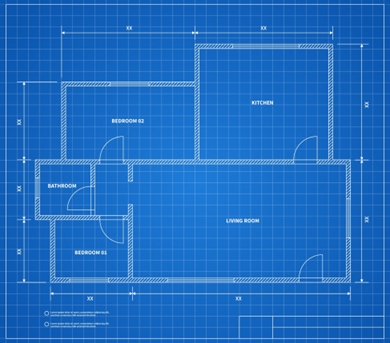
Payload is like a blueprint for a house. You need to build most of it yourself, from the frame to the rooms. This takes more effort and time, but you have freedom to create the spaces exactly as you want. You decide where walls go, how rooms are shaped, and how everything connects. This gives more options and flexibility, but you have to do the work to get there.

Choosing between them
I usually decide like this:
Choose WordPress if you need:
- Fast delivery
- A familiar admin experience for clients
- An ecosystem that covers most standard needs
- A site that is mostly content, with limited custom logic
Choose Payload CMS if you need:
- Custom content models
- A modern frontend like Next.js
- Content reused across multiple frontends
- Long-term flexibility and cleaner architecture
Final word
WordPress has been reliable for years. I know how to build, migrate, and extend it. It works well for small to medium sites and when speed and client familiarity are priorities.
Payload offers clean architecture, modern admin interface, and flexibility. It is ideal for complex, multi-platform, or long-term projects. It takes more effort but delivers control and scalability.
The choice depends on project needs, timelines, and how much control is required.
FAQ
Not exactly. Payload CMS is a better fit when you want a headless, code-first setup and full control over content structure and frontend. WordPress is better when you need speed, familiarity and a large plugin ecosystem.
Yes. Payload can run a simple blog and a resource library. The difference is that you will usually build more yourself, especially the frontend.
It depends. WordPress can be easy to maintain when the plugin stack is small and well chosen. Payload can be easier to maintain for complex apps because the content model and workflows are explicit in code and versioned.
WordPress migrations are common and well supported with tools, but you still need careful testing. Payload migrations are more like application deployments, which can be cleaner, but require a developer-led workflow.
They can, since Payload includes an admin panel. The bigger challenge is setup and changes over time, because content structure is defined in code and usually needs developer involvement.
Payload paired with a modern frontend can be very fast and flexible. WordPress can perform well too, but performance often depends on theme quality, plugin choices and hosting optimization.
Usually when requirements become highly custom, data structures get unusual, or the plugin stack grows large. That is often the moment a code-first CMS starts to look attractive.
When the project will scale, needs custom modeling, or must feed multiple frontends. In those cases, the structure and control often pay off quickly.
Now that you’ve read this, how about some more knowledge on C#